Managing a workforce today means juggling scheduling, time tracking, payroll, compliance, and communication — often across spreadsheets, disconnected apps, and manual processes that were never designed to scale. As teams grow, remote and hybrid work becomes standard, and labor regulations get stricter, the gap between what generic tools offer and what your business actually needs keeps widening.
This guide covers what workforce management software actually involves, where off-the-shelf tools fall short, and what a properly built system looks like for a growing business in 2026.
The Problem: Workforce Management Outgrows Generic Tools Fast
Most businesses start workforce management with a mix of spreadsheets, a basic scheduling app, and manual payroll processes. This works when you have a handful of employees in one location. It breaks down predictably as the business grows:
- Scheduling becomes a manual, error-prone process — managers juggling shift swaps, availability, and coverage across spreadsheets or basic apps not built for complexity
- Time tracking gaps — buddy punching, manual timesheets, and inconsistent clock-in methods that don't reflect actual hours worked
- Payroll disconnected from time tracking, requiring manual data transfer that introduces errors and delays
- No visibility into labor costs in real time — managers find out they're over budget only after payroll runs, not while it's happening
- Compliance tracked manually or not at all — overtime rules, break requirements, and labor law variations across regions left to guesswork
- Remote and hybrid teams managed with tools built for in-office, single-location work
- HR systems that don't talk to each other — scheduling, time tracking, payroll, and HR data living in separate silos with no integration
- Employees without self-service access, generating a constant stream of manual requests to HR for basic tasks like checking leave balances or submitting time-off requests
Generic, one-size-fits-all workforce tools handle the basics reasonably well. The moment your business has specific scheduling logic, multi-location complexity, or integration needs with existing systems, those tools become a constraint rather than a solution.
The Business Consequence: Inefficient Workforce Management Directly Costs Money
Workforce management isn't a back-office convenience — it's directly tied to labor costs, compliance exposure, and employee retention.
Overtime and labor cost overruns. Without real-time visibility into hours worked, businesses routinely discover overtime or budget overruns only after payroll has already processed — money that's already spent by the time anyone notices the problem.
Payroll errors and compliance penalties. Manual data transfer between time tracking and payroll introduces errors that lead to underpayment, overpayment, and potential labor law violations — all of which carry financial and legal risk.
Lost productivity from scheduling chaos. Managers spending hours each week manually building and adjusting schedules is time not spent on actual operational work, and scheduling errors lead to understaffing, overstaffing, or last-minute coverage scrambles.
Employee turnover from poor scheduling experience. Inconsistent scheduling, last-minute shift changes, and lack of transparency into hours and pay are consistently cited factors in frontline and hourly employee turnover.
HR bottlenecks. Without self-service tools, HR teams spend disproportionate time on manual, repetitive requests instead of higher-value work, and response delays frustrate employees.
Compliance and legal exposure. Labor laws around overtime, breaks, and scheduling vary by region and change frequently. Manual compliance tracking is both labor-intensive and prone to costly mistakes.
The businesses that treat workforce management as a low-priority operational detail are usually the ones that discover, too late, how much it's actually been costing them.
The Solution: Purpose-Built Workforce Management Systems
A properly built workforce management system connects every part of the employee lifecycle — scheduling, time tracking, payroll, compliance, and communication — into a single, coherent system rather than disconnected tools. Core components typically include:
- Automated scheduling that accounts for availability, skills, labor laws, and business demand, with self-service shift swapping for employees
- Accurate time tracking — biometric, mobile, or geofenced clock-in options that eliminate buddy punching and manual entry errors
- Integrated payroll processing where time tracking data flows directly into payroll calculations, eliminating manual transfer errors
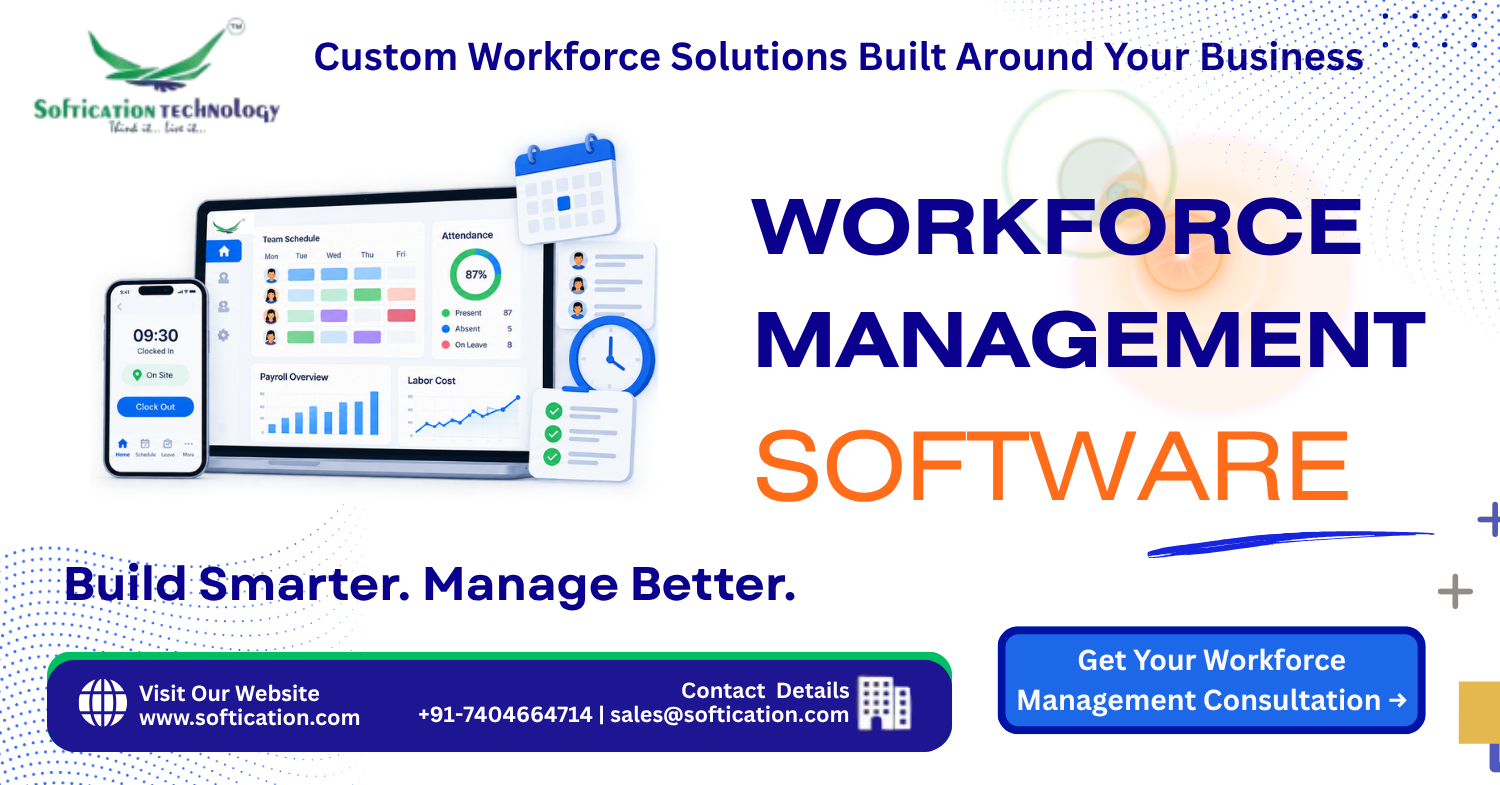
- Real-time labor cost visibility — dashboards showing labor spend against budget as it happens, not after the fact
- Built-in compliance tracking — automated overtime alerts, break requirement enforcement, and region-specific labor law rules
- Multi-location and multi-role support for businesses managing complex scheduling across sites, departments, or worker types
- Employee self-service portals — letting employees check schedules, request time off, view pay stubs, and update availability without going through HR
- Mobile-first access for field and deskless workers who don't sit at a desk to interact with these systems
- Integration with existing HR, ERP, and accounting systems, so workforce data connects with the rest of your business operations
The right system doesn't just digitize existing manual processes — it removes the errors, delays, and blind spots that manual processes create.
SoftiCation's Capability: We Build Workforce Management Systems Around Your Actual Operations
At SoftiCation, we don't start with a generic template — we build workforce management systems around how your business actually operates, whether that's a single-location team, a multi-site operation, or a distributed remote workforce. Our capability includes:
- Custom scheduling engine development — built around your specific shift patterns, roles, skills requirements, and labor rules
- Time and attendance system integration — biometric, mobile, geofenced, or web-based clock-in systems connected directly to payroll
- Payroll system integration — connecting time tracking data automatically into your existing payroll provider or building custom payroll logic where needed
- Compliance and labor law rule engines — automated tracking for overtime, breaks, and region-specific regulations, reducing manual compliance work
- Real-time analytics dashboards — giving managers and leadership live visibility into labor costs, coverage, and workforce trends
- Employee self-service portal development — reducing HR's manual workload while improving employee experience
- Mobile app development for field and deskless teams who need workforce tools accessible outside a traditional office setting
- ERP and HRMS integration — connecting workforce management with the broader systems your business already relies on
- Build-vs-buy consultation — helping you decide where an existing platform fits and where custom development is genuinely needed
We build systems that fit how your workforce actually operates, rather than forcing your operations to fit a generic tool's limitations.
Proof: What This Looks Like in Practice
Consider a multi-location retail business managing scheduling manually across a dozen store locations, with time tracking handled through basic time clock software that didn't connect to payroll. Managers spent several hours each week building schedules manually, payroll processing required manual data entry from each location, and the business had no real-time visibility into labor costs until after each pay period closed — by which point overtime overruns had already happened.
A custom workforce management system was built to address each bottleneck: an automated scheduling engine that accounted for each location's staffing requirements and labor law constraints, time tracking through a mobile app with geofenced clock-in to prevent buddy punching, and direct integration between time tracking and the existing payroll provider. A real-time dashboard gave regional managers visibility into labor costs against budget as they occurred, rather than after the fact.
Following implementation, manual scheduling time was reduced by the majority of hours previously spent on it each week, payroll processing errors dropped significantly due to automated data transfer, and managers were able to catch and correct overtime trends in real time instead of discovering them after payroll had already run. The business also reported improved employee satisfaction, attributed largely to more predictable scheduling and easier access to shift and pay information through self-service tools.
This reflects the core value of a properly integrated workforce management system: it doesn't just digitize existing processes, it eliminates the delays and blind spots that were quietly costing the business money and operational efficiency.
Ready to Modernize Your Workforce Management?
Whether you're dealing with scheduling chaos, payroll errors, compliance risk, or simply outgrowing a generic tool, the right workforce management system should be built around how your business actually operates — not the other way around.
Get a Workforce Management Consultation and find out exactly what a system built for your specific operations, team structure, and compliance requirements would look like.