
Campus Drive Application
Streamline campus recruitment with an end-to-end platform for online assessments, automated evaluation, and candidate shortlisting. Eliminate manual examinations, answer-sheet evaluation, and manual filtering—enabling your organisation to conduct scalable, data-driven campus drives.
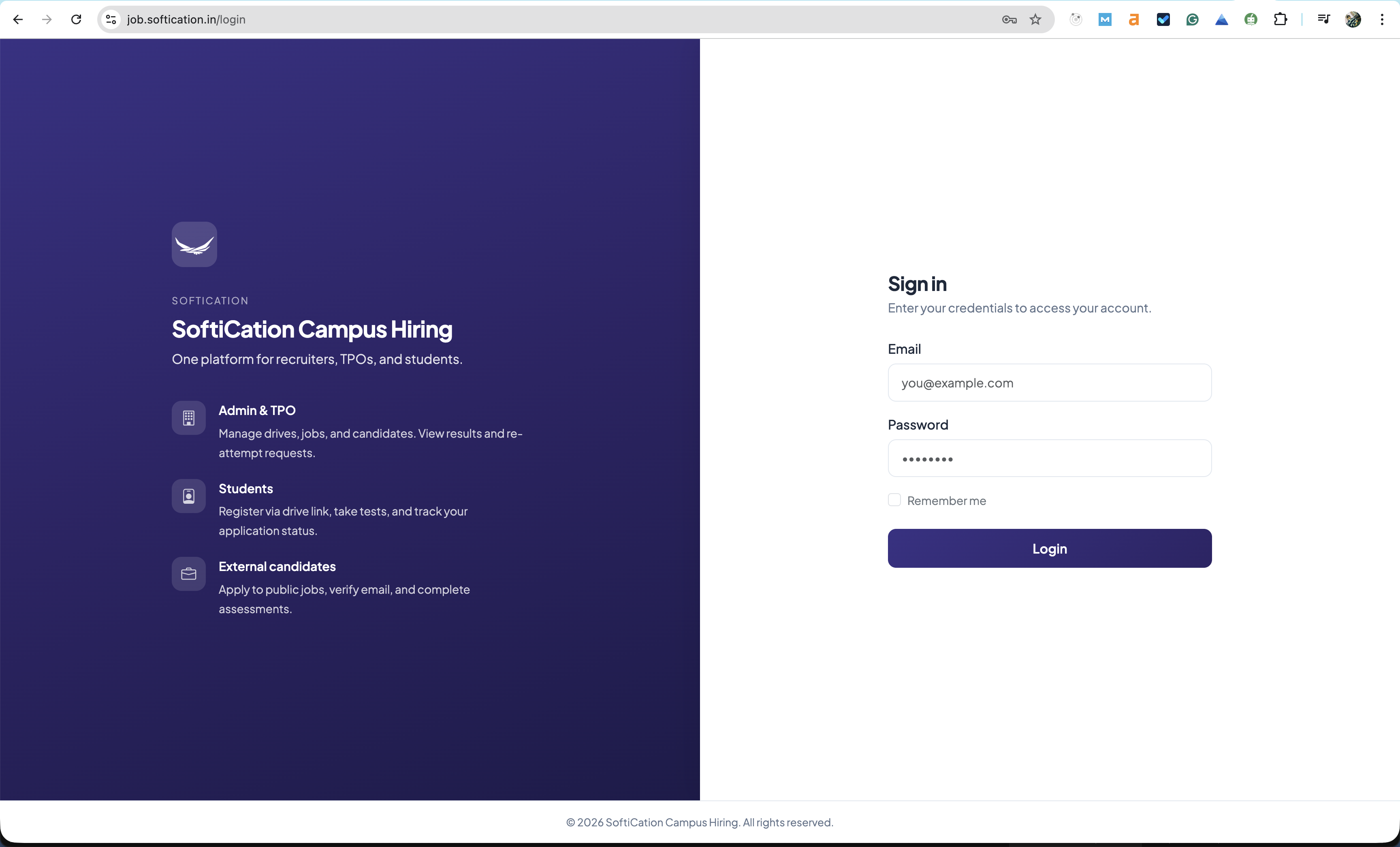
No manual examinations · No manual answer-sheet checking · No manual candidate filtering — Automate and scale your campus recruitment drives with SoftiCation Campus Drive Application.
Roles Offered
Roles are configured per campus drive by your administrator. There is no fixed list of positions; your organisation defines which roles to offer, which assessments to assign, and which test details candidates can view for each recruitment campaign.
Administrator-Defined Roles for Each Campus Drive
Administrators can create and manage multiple job roles for every campus drive. Each role may have a dedicated assessment, optional technology stack (e.g. MERN, MEAN, Laravel, Django), and custom test criteria—ensuring hiring aligns with the exact skills and competencies your organisation requires.
- Create and manage an unlimited number of roles per campus drive from the admin panel
- Assign role-specific assessments and optional technology stacks for technical positions
- Candidates register for published roles and access only the tests relevant to their chosen role
- Filter, shortlist, and export candidates by role from a single dashboard
Configuration Managed by Your Administrator
Roles are not displayed as a fixed list on this product page. Your campus drive administrator creates, edits, and publishes roles (e.g. Full Stack Developer, Web Developer, Business Development Executive, Human Resources, Data Analytics, and others) for each drive, so every recruitment campaign remains relevant to your current hiring requirements.
Why Choose SoftiCation Campus Drive Application
Designed for organisations that conduct campus recruitment regularly. Reduce administrative effort, standardise evaluation, and make hiring decisions based on structured assessment data.
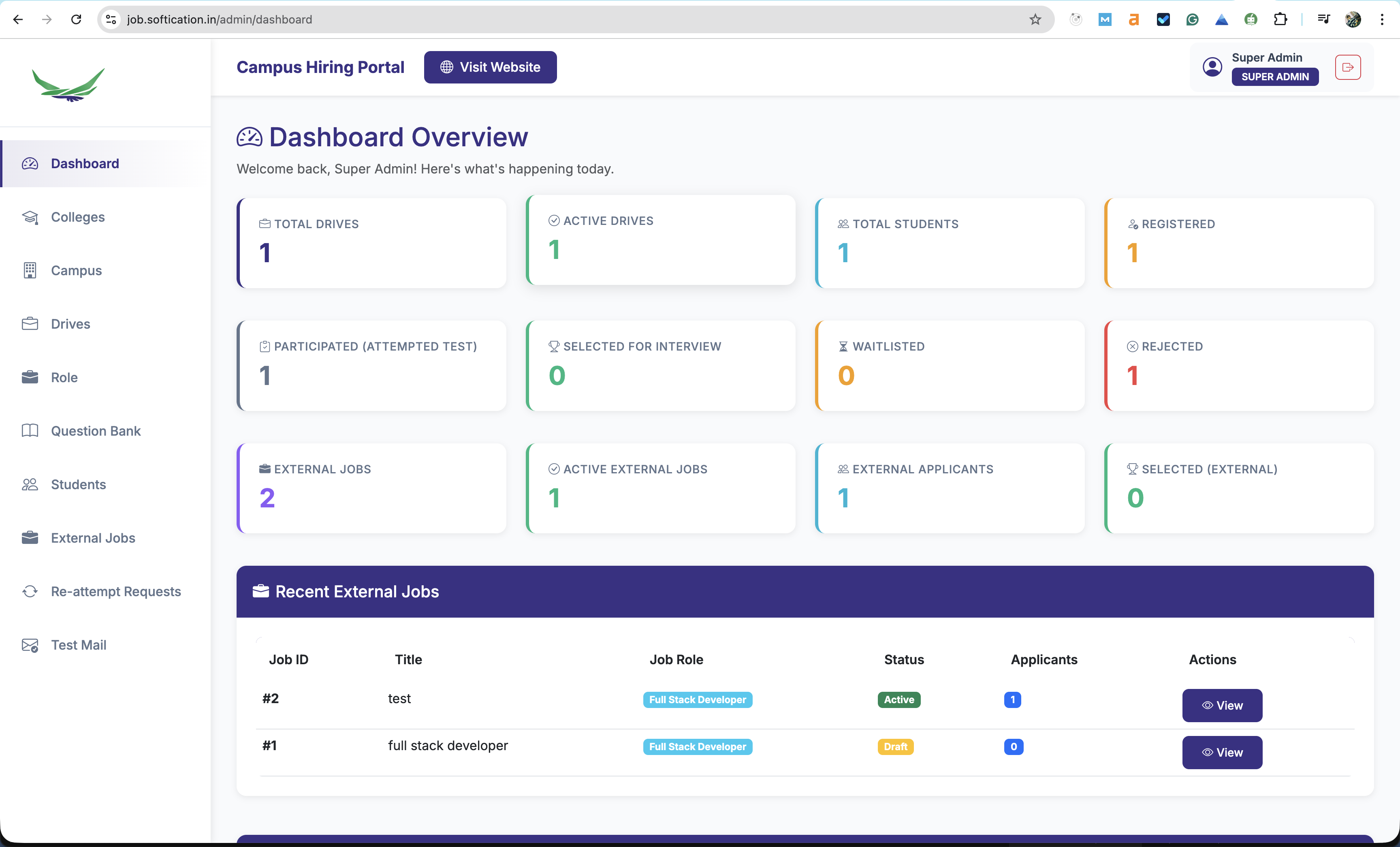
Online Assessment and Automated Evaluation
Conduct multiple-choice and written assessments with configurable timers and automatic submission. Results and rankings are generated without manual evaluation, enabling faster shortlisting.
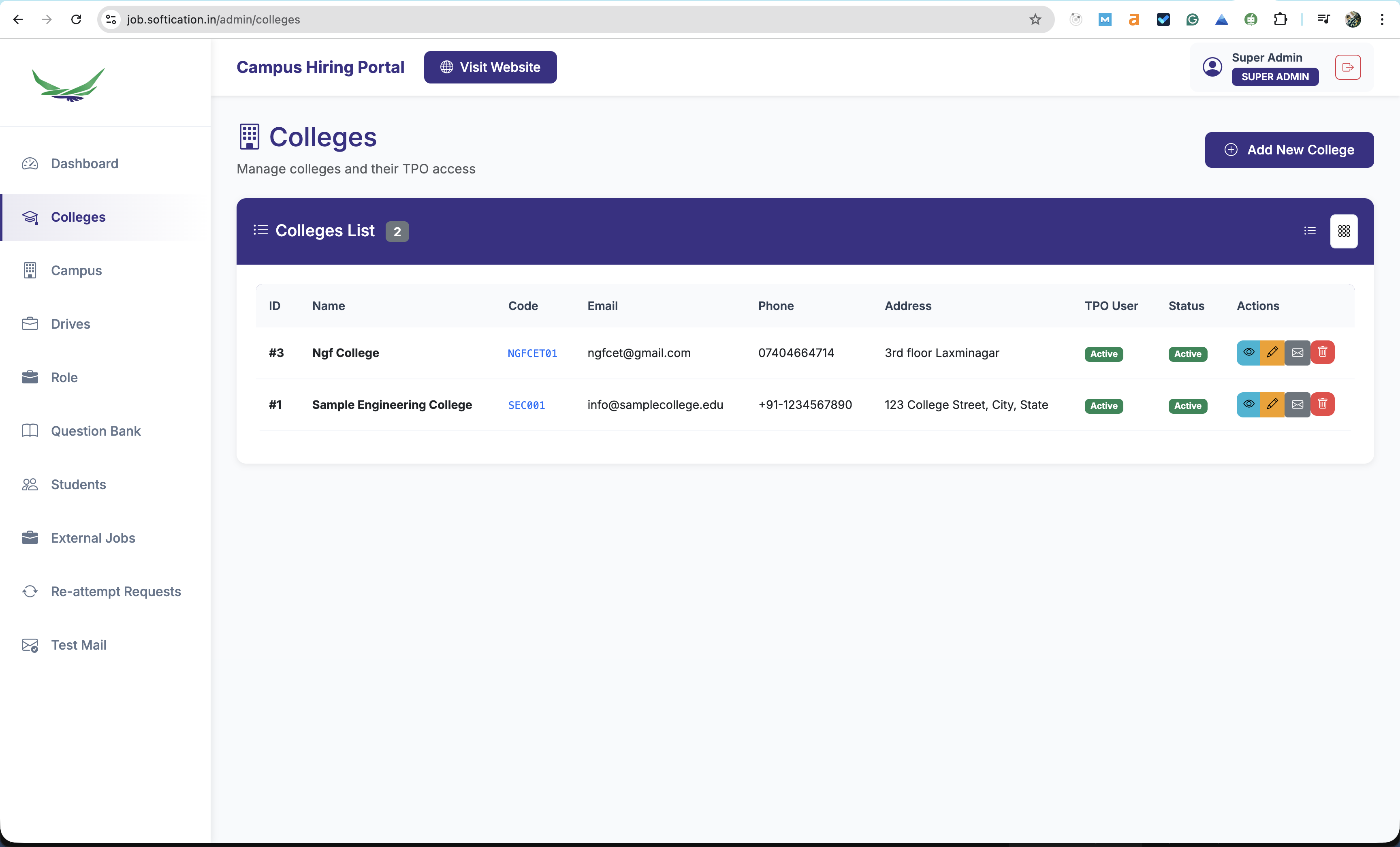
Role-Based and Technology-Stack Assessments
Assessments can be aligned to job roles and, where applicable, technology stacks (e.g. MERN, MEAN, Laravel, Django). Administrators define roles and question sets per campus drive.
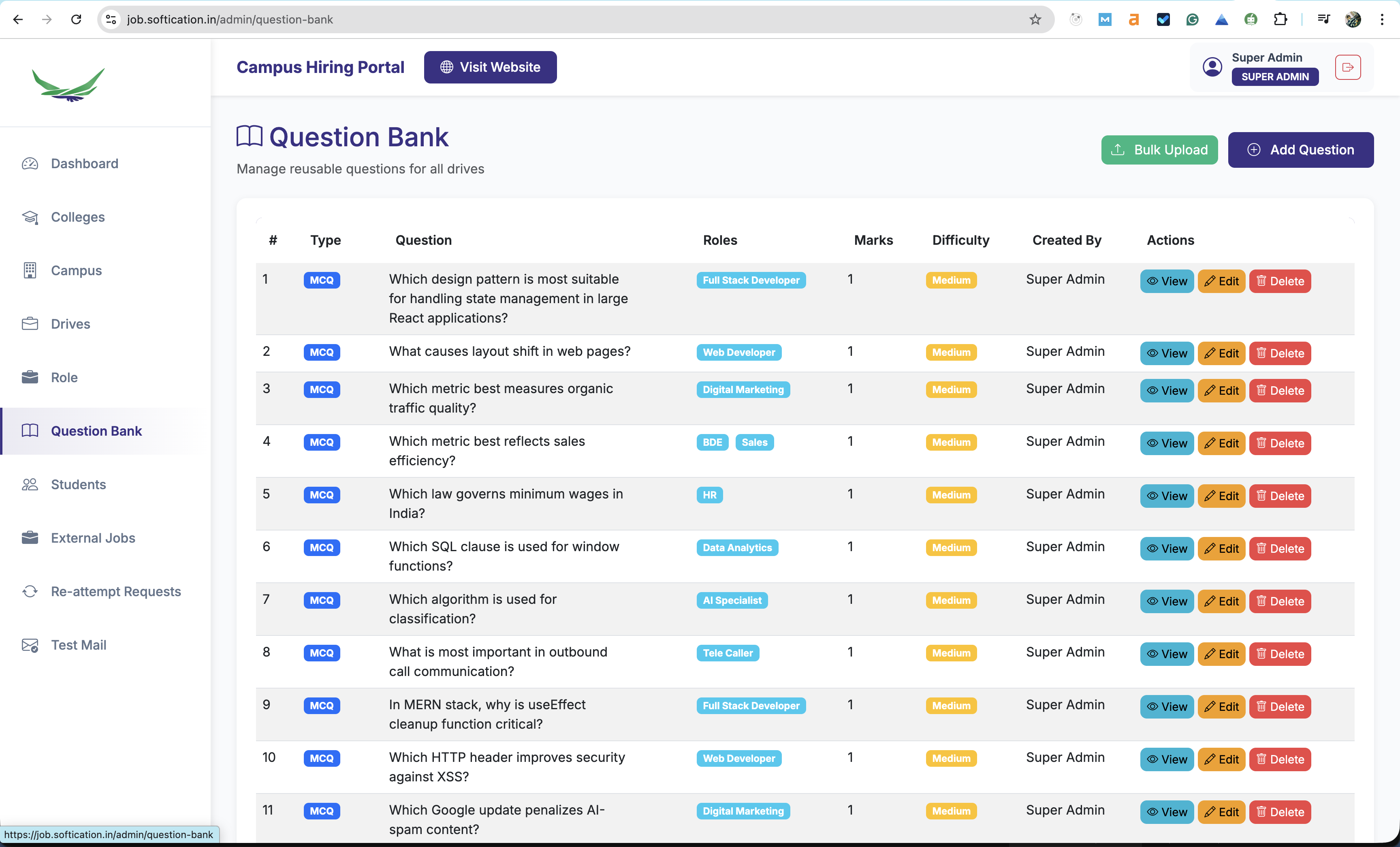
Administrator and HR Dashboard
Manage candidate registrations, filter by role and technology stack, approve or reject applications, and export shortlists (e.g. CSV). View aggregate metrics such as total tests taken and pass rates.
How the Campus Drive Application Works
A structured process from candidate registration to shortlisting: registration, assessment, evaluation, and selection—all within a single platform.
Candidate Registration
Candidates register with details such as name, email, phone, college, branch, graduation year, and the role they are applying for. For technical roles, a technology stack (e.g. MERN, MEAN) may be selected where configured by the administrator.
Login and Assessment
Candidates, administrators, and HR access the platform via separate login flows. Candidates see only the assessment(s) associated with their registered role and, where applicable, chosen technology stack.
Multiple-Choice and Written Sections
Assessments typically include timer-based multiple-choice questions and written components. Tests auto-submit on timeout. Multiple-choice sections are scored automatically; written responses can be evaluated by administrators.
Ranking and Shortlisting
Candidates view their test status, scores, rank, and result. Administrators and HR can filter by role, approve or reject applications, and export shortlisted candidates (e.g. for interview scheduling).
Candidate Dashboard and Administrator Control
Candidates can track their application and assessment status; administrators have full control over roles, tests, and shortlisting with consolidated analytics.
Candidate Dashboard
- View applied role and current test status
- Access test scores, written assessment scores, and rank
- View result status (e.g. shortlisted, rejected, pending)
- Take role-specific and, where applicable, technology-stack-specific assessments
Administrator Dashboard
- View total registered candidates and tests completed
- See role-wise applicant counts and pass percentage
- Identify top performers by score and rank
- Manage candidates: view, filter by role and technology stack, approve or reject, and export shortlists (e.g. CSV)
Assessment Experience
Timer-based multiple-choice and written sections provide a consistent, auditable assessment experience and support efficient evaluation and ranking.
Frequently Asked Questions
Common questions about the SoftiCation Campus Drive Application for campus recruitment and online assessment.
What is the SoftiCation Campus Drive Application?
The SoftiCation Campus Drive Application is a campus recruitment and online assessment platform for organisations that conduct campus drives. It supports administrator-defined roles, role-based and technology-stack-based assessments, automated evaluation of multiple-choice sections, candidate registration, and an administrator and HR dashboard for shortlisting—reducing reliance on manual examinations and manual answer-sheet checking.
How are roles and assessments configured?
Roles are not fixed. Your administrator creates and manages roles for each campus drive from the admin panel (e.g. Full Stack Developer, Web Developer, Business Development, HR, Data Analytics). Each role can have dedicated assessments and, where relevant, technology stack options (e.g. MERN, MEAN, Laravel, Django). Candidates register for published roles and see only the tests assigned to that role.
How does assessment and evaluation work?
Assessments typically include timer-based multiple-choice questions and written components. Tests auto-submit on timeout. Multiple-choice sections are scored automatically; written responses can be evaluated in the admin panel. The system provides rankings, pass rates, and tools to filter, approve, reject, and export shortlisted candidates (e.g. to CSV) for interview scheduling.
Is manual examination or answer-sheet checking required?
No. The platform is designed to remove the need for manual conduct of examinations and manual checking of answer sheets. Assessments are delivered online, with automated scoring for multiple-choice sections and a structured workflow for written evaluation. This supports scalable, consistent campus recruitment with less administrative effort.