Most workforce management software was designed with an office worker in mind: someone who sits at a desk, logs into a browser, and checks email during the day. But a large share of the workforce doesn't work that way. Technicians travel between job sites. Delivery staff spend the day on the road. Retail, hospitality, healthcare, security, and construction teams are on their feet, away from any computer.
If you manage people like this with tools built for desks, the gaps show up quickly: missed clock-ins, unreliable timesheets, schedules nobody sees in time, and managers who don't know where anyone is. Here's why that happens, what it costs, and what a mobile-first workforce management app actually changes.
The Problem: Desk-Based Tools Don't Fit Deskless Work
Deskless and field employees need to do the same things as office staff, such as check schedules, record hours, request leave, and receive updates. But the tools they're given often assume a desktop and a stable connection. That creates familiar problems:
- Time tracking that doesn't work off-site, forcing employees to write hours on paper or estimate them later
- Schedules shared through printouts, group chats, or email, which frontline staff may not check until it's too late
- No location verification, so managers can't confirm whether someone actually arrived at the job site
- Poor connectivity in basements, rural areas, warehouses, or remote sites, causing apps to fail or lose data
- Late or missing job updates, since technicians report completion hours or days after the work is done
- Slow communication, with urgent changes passed along by phone calls and individual messages
- Complicated interfaces designed for large screens that are slow and frustrating on a phone
- Paper forms and checklists for safety, inspections, and incident reports that must be retyped later
- Disconnected data, with hours, locations, and job details living in separate systems that never fully match
None of this reflects a lack of effort from frontline teams. It reflects tools that were never built for how they work.
The Business Consequence: Deskless Gaps Turn Into Cost, Risk, and Turnover
When field and frontline operations rely on manual or office-centric tools, the costs show up across payroll, operations, compliance, and retention.
Inaccurate hours and payroll errors. Timesheets written from memory or filled in days later are prone to mistakes, causing both overpayment and underpayment.
Time theft and unverified attendance. Without location checks, businesses can't reliably confirm arrival and departure times, which opens the door to inflated hours.
Missed or delayed jobs. Poor communication and late schedule changes lead to no-shows, late arrivals, and unhappy customers.
Slow billing. If job completion data is reported late, invoicing is delayed and cash flow suffers.
Safety and compliance risk. Paper-based safety checks and incident reports can be lost, incomplete, or filled out after the fact, weakening your records.
Lone-worker and safety concerns. Without real-time visibility, it's harder to know when someone needs help or has not checked in.
High turnover among frontline staff. Unclear schedules, late pay corrections, and hard-to-use tools contribute to frustration, and frontline roles often have high turnover already.
Management blind spots. Supervisors can't see who is where, which jobs are complete, or whether coverage is adequate, so decisions rely on phone calls and guesswork.
The result is a workforce that does real, valuable work but is hard to manage, hard to pay accurately, and easy to lose.
Curious how much deskless gaps are costing your business? [Get a Free Field Workforce Assessment →]
The Solution: A Mobile-First Workforce Management App
A mobile-first workforce management app puts everything an employee needs in their pocket and gives managers real-time visibility without constant check-ins. "Mobile-first" means the app is designed around the phone and the realities of fieldwork, instead of being a desktop product squeezed onto a small screen. A well-built app typically includes:
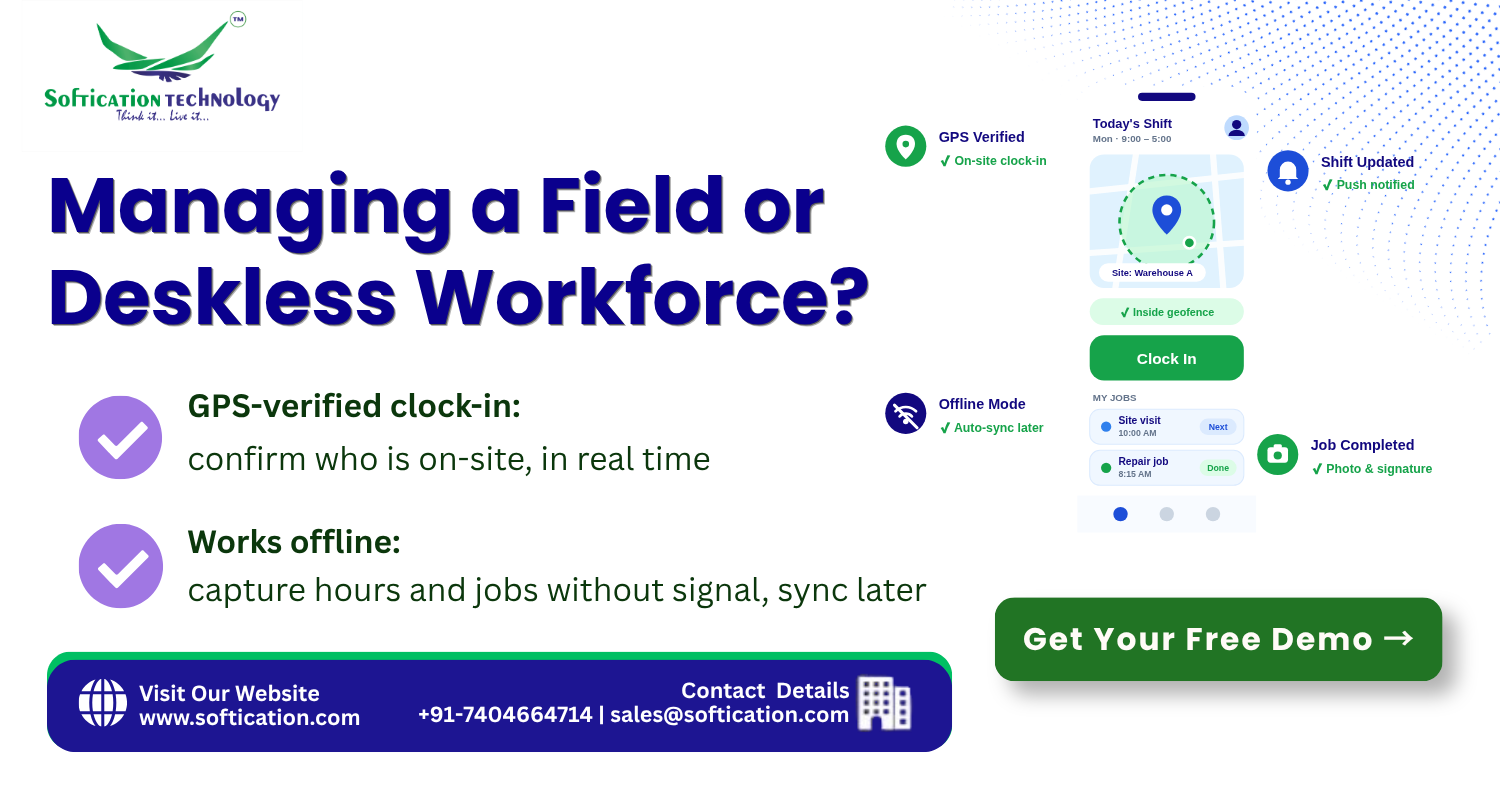
- GPS and geofenced clock-in and clock-out, confirming employees are at the right site when they log time
- Offline mode, letting employees record hours, complete forms, and capture data without signal, then sync automatically when connectivity returns
- Schedules and shift notifications, delivered by push notification, with one-tap confirmation and open-shift pickup
- Job and task management, with assignments, instructions, status updates, and completion records captured on the spot
- Digital forms and checklists, replacing paper for safety checks, inspections, and incident reporting, with photos and signatures
- Real-time team visibility, showing managers who is working, where, and on which job
- Leave, availability, and shift-swap requests, handled by the employee directly through the app
- In-app messaging and announcements, so urgent changes reach the right people instantly
- Payslips and self-service access, available from the same app
- Integration with payroll, HRMS, and billing, so verified hours and job data flow into pay and invoices automatically
- Simple, fast, accessible design, built for one-handed use, glare, gloves, and short interactions
The aim is to make doing the right thing the easiest thing, whether that's clocking in, reporting a job, or checking tomorrow's roster.
SoftiCation's Capability: We Build Mobile Apps Around How Your Field Teams Work
At SoftiCation, we build mobile workforce management apps based on the conditions your teams actually work in, including job types, connectivity, devices, and compliance needs. Our capability includes:
- Custom mobile app development for iOS and Android, built around your field and frontline workflows
- GPS, geofencing, and location-verified time tracking, with configurable rules for sites, routes, and tolerances
- Offline-first architecture, ensuring data is captured reliably without signal and synced safely afterwards
- Job, task, and dispatch management, connecting schedules, assignments, and completion data
- Digital forms, checklists, and photo and signature capture, replacing paper-based processes
- Real-time manager dashboards, showing live status, coverage, and exceptions across sites and teams
- Push notifications and in-app communication, for schedules, changes, and alerts
- Integration with payroll, HRMS, ERP, and invoicing systems, so mobile data becomes pay and billing without re-entry
- Security and privacy controls, including role-based access and clear policies on location data
- Support and maintenance, keeping the app updated across devices and operating system changes
We design these apps to be fast and simple for employees, and useful for managers and finance.
Want to see what a mobile app built for your field teams would look like? [Talk to a Mobile Workforce Specialist →]
Proof: What This Looks Like in Practice
Consider a service company with technicians travelling between customer sites. Schedules were shared by message, hours were recorded on paper timesheets submitted at the end of the week, and job completion was reported by phone or at the next day's check-in. Payroll required manual verification of each timesheet, invoicing was delayed by late job updates, and managers had no clear view of where technicians were during the day.
A mobile-first app was built for iOS and Android with geofenced clock-in, offline support for sites with poor signal, job assignments with status updates, and digital checklists with photo capture. Schedule changes reached technicians instantly by push notification, and a manager dashboard showed live status across all jobs. The app was integrated with the company's payroll and invoicing systems.
After rollout, timesheet errors dropped, payroll no longer needed manual verification of each entry, and invoices were issued sooner because job completion was recorded on site. Managers could reassign work quickly based on real-time availability, and technicians appreciated getting schedules, jobs, and updates in one place, without calling the office.
This reflects the core value of a mobile-first approach: it gives deskless employees tools that fit their work, and gives the business accurate, timely data in return.
Ready to give your field team the right tools? [Get Your Free Mobile Workforce Consultation →]
Is Your Deskless Workforce Being Managed With Desk-Based Tools?
If your field and frontline teams still rely on paper, phone calls, and delayed reporting, the costs show up in payroll accuracy, customer service, compliance, and turnover. A mobile-first workforce management app addresses the problem at its source by meeting your people where they work.
Get a Free Mobile Workforce App Consultation and find out exactly how an app built around your teams, sites, and systems would work.
[Get Your Free Mobile Workforce App Consultation →]
Or talk to us directly. We'll walk you through what's possible for your business. 📞 Call/WhatsApp us today to discuss your field workforce management needs.