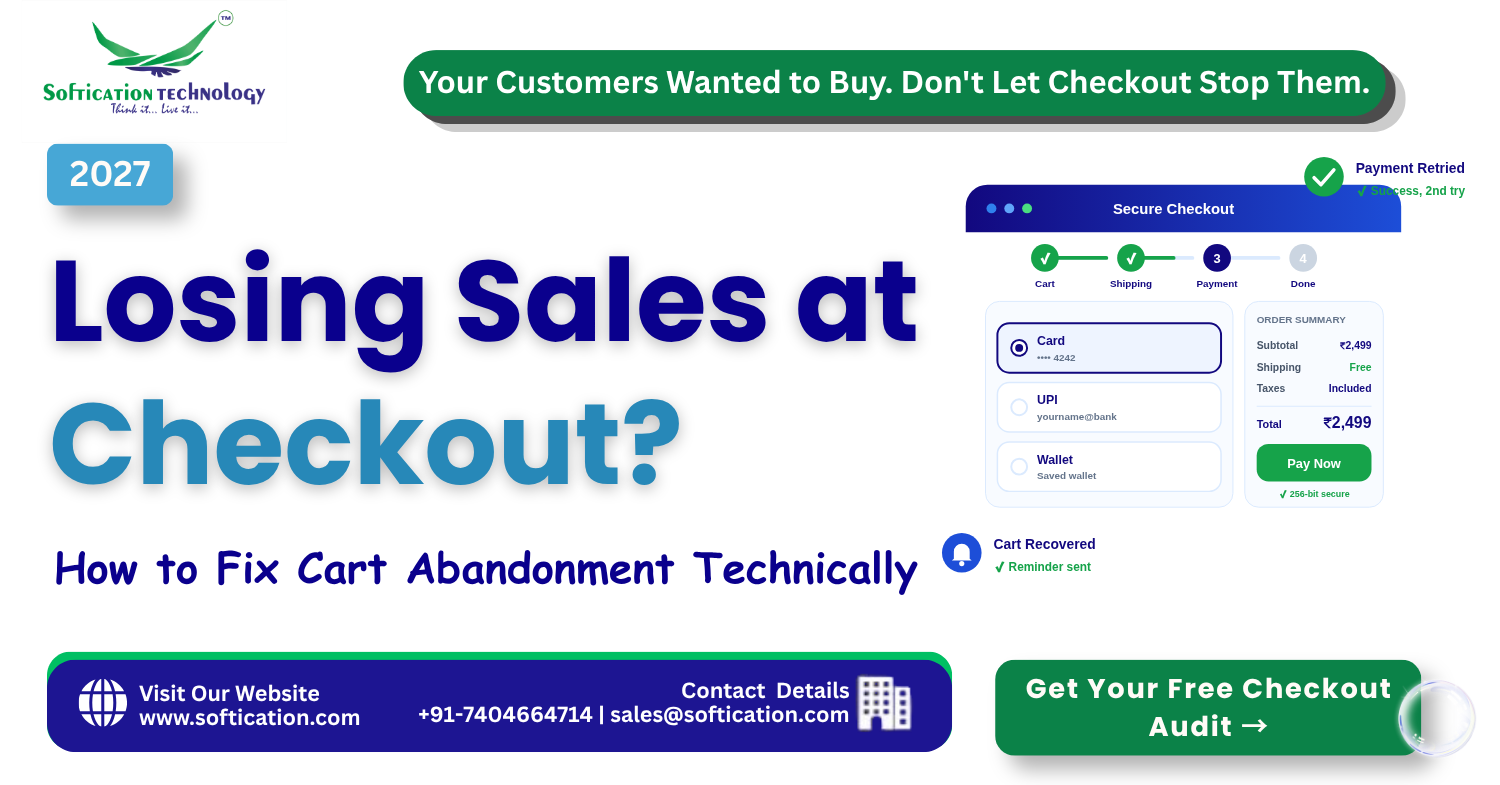
A shopper finds a product, adds it to the cart, starts checkout, and then disappears. You've done the hard part: attracting them, convincing them, getting them this far. And then the sale vanishes.
Cart abandonment is one of the most expensive leaks in e-commerce, and it's not always about price or second thoughts. A surprising share of abandoned carts come from technical problems: slow pages, failed payments, confusing forms, broken coupon codes, and errors that shoppers never report. This guide focuses on those technical causes and how to fix them, so you can recover sales you're already earning but not collecting.
The Problem: Shoppers Reach Checkout and Then Hit Friction You Can't See
Some abandonment is natural. People browse, compare, and get distracted. But a lot of it is preventable, and much of the preventable part is technical. Here are the common culprits:
- Slow checkout pages, especially on mobile networks, where every extra second invites a second thought
- Payment failures, such as declined transactions, gateway timeouts, failed OTP or 3-D Secure authentication, and banks rejecting legitimate payments
- Missing payment methods, when customers can't use the wallet, UPI, local card, bank transfer, or buy-now-pay-later option they prefer
- Forced account creation, which asks for a password before the shopper has even paid
- Long, awkward forms, with too many fields, poor validation messages, and no autofill or address suggestions
- Surprise costs, with shipping, taxes, and fees appearing only at the final step
- Shipping and tax calculation errors, caused by slow or failing external services
- Coupon and discount bugs, where valid codes are rejected or stack incorrectly
- Cart and session problems, such as carts that empty after login, expire too fast, or don't persist across devices
- Inventory conflicts, where items sell out between adding to the cart and paying
- Browser and device issues, including layouts that break on certain phones, keyboard types that don't match fields, and scripts that fail in specific browsers
- Third-party script overload, where chat widgets, trackers, and pop-ups slow or interrupt the checkout
- Security warnings and trust gaps, such as mixed content, odd redirects to payment pages, or missing security cues
- No visibility, because most stores don't track exactly where and why checkout fails
The cruel part is that shoppers who hit a technical error rarely contact you. They simply leave.
The Business Consequence: Every Abandoned Checkout Is a Sale You Already Paid For
Abandoned carts are different from lost browsing traffic. These are people who wanted what you sell.
Direct revenue loss. Each abandoned cart is a sale that was within reach, and the value adds up quickly across hundreds or thousands of sessions.
Wasted acquisition spend. You paid for ads, SEO, or email to bring that shopper in. Losing them at the last step multiplies your effective cost per customer.
Inflated cost of growth. When checkout leaks, you have to buy more traffic to hit the same revenue target, which squeezes margins.
Lost lifetime value. A shopper who fails to complete their first purchase may never return, taking future repeat orders with them.
Silent technical failures. Payment gateway errors, broken integrations, and bugs can persist for weeks without triggering any alert, quietly draining sales.
Misleading data. Without proper tracking, teams blame pricing, products, or marketing for problems that are really technical.
Support burden and reputation damage. Customers charged twice, stuck on error pages, or uncertain whether an order went through generate complaints and bad reviews.
Missed recovery opportunities. If you don't capture abandonment data and follow up appropriately, you give up the easiest sales to win back.
Even a modest improvement in checkout completion can be worth more than a significant increase in traffic, because it improves the return on everything you've already spent.
Curious how many sales your checkout is losing? [Get a Free Checkout Audit →]
The Solution: Find and Fix the Technical Causes, Then Recover What's Left
Fixing cart abandonment technically means measuring the funnel, removing friction in order of impact, making payments reliable, and following up with shoppers who still leave.
Step 1: Measure where and why shoppers drop off
You can't fix what you can't see. Set up:
- Funnel tracking across each step: cart view, checkout start, shipping info, payment, and order confirmation
- Segmentation by device, browser, traffic source, country, and payment method, since averages hide problems
- Error and event logging for failed payments, validation errors, slow API calls, and JavaScript errors
- Session recordings and heatmaps to see how real users behave
- Alerts for sudden changes in payment success rates or checkout errors
Often a single segment, such as one browser or one payment method, accounts for a disproportionate share of failures.
Step 2: Make checkout fast and reliable
- Speed: Optimize checkout pages for fast loading by removing unnecessary scripts, compressing assets, using caching where safe, and reducing blocking third-party tags.
- Performance of external calls: Make shipping, tax, and address lookups fast, add sensible timeouts, and provide fallbacks so a slow third-party service doesn't freeze the page.
- Stability under load: Test checkout under peak traffic and scale infrastructure ahead of campaigns.
- Error handling: Show clear, helpful messages instead of generic errors, and never lose the shopper's entered data when something goes wrong.
Step 3: Fix payments, the biggest technical risk
- Offer the methods your customers prefer, including major cards, mobile wallets, UPI and local payment options where relevant, bank transfers, and buy-now-pay-later or cash-on-delivery where appropriate.
- Reduce avoidable declines. Handle authentication flows (such as 3-D Secure and OTP) smoothly, support retries, and give clear guidance when a payment fails, such as suggesting another method.
- Make the gateway integration robust. Use webhooks to confirm payment status, handle timeouts and duplicate callbacks, and use idempotency so a retry never double-charges.
- Prevent "paid but no order" and "order but not paid" states with reconciliation checks between your store and the gateway.
- Tune fraud checks. Overly aggressive rules block legitimate customers. Review false positives regularly.
- Monitor success rates by method, bank, and device, and alert on drops.
Step 4: Simplify the checkout flow
- Offer guest checkout and let shoppers create an account after purchase.
- Cut form fields to what you genuinely need, and use proper input types, so mobile users get the right keyboard.
- Enable autofill and address autocomplete to reduce typing and errors.
- Validate inline with clear, friendly messages instead of making users resubmit.
- Show progress and order summaries so shoppers always know where they are.
- Support express checkout through wallets and saved details to cut steps further.
- Make the experience mobile-first, with large tap targets, minimal typing, and sticky call-to-action buttons.
Step 5: Be upfront about costs and delivery
- Show estimated shipping costs and delivery dates on product and cart pages, not only at the final step.
- Calculate taxes and duties accurately and early, particularly for international orders.
- Display free-shipping thresholds and progress where relevant.
Unexpected costs are one of the most commonly cited reasons for abandonment, and they're a design and data problem you can solve.
Step 6: Keep carts, sessions, and inventory consistent
- Persist carts across sessions, devices, and login, so shoppers don't return to an empty basket.
- Choose sensible session timeouts and warn users before they expire.
- Handle inventory fairly, with real-time stock checks, optional short-term reservation during checkout, and clear messaging when an item sells out.
- Make coupon logic dependable. Test stacking, expiry, minimum spend, and exclusions, and show clear reasons when a code can't be applied.
Step 7: Test across browsers, devices, and conditions
- Run regular cross-browser and cross-device testing, including older phones and slower networks.
- Test failure scenarios: declined cards, expired sessions, network drops, and gateway timeouts.
- Use automated tests for the critical path, so a new release can't silently break checkout.
- Include checkout in every release checklist.
Step 8: Build trust at the point of payment
- Use HTTPS everywhere and avoid mixed-content warnings.
- Keep payment pages consistent in branding and avoid confusing redirects.
- Show recognizable payment logos, security cues, return policies, and support contact details where shoppers need reassurance.
- Comply with payment security standards by relying on trusted gateways and tokenization.
Step 9: Recover the carts that still get abandoned
Even a great checkout loses some shoppers. Recovery works best when it's relevant, timely, and respectful.
- Abandoned cart emails with the actual products, a clear link back to the cart, and helpful details such as delivery times or reviews
- SMS or WhatsApp reminders, where you have clear consent and the channel fits your market
- Browser or app notifications for opted-in users
- Incentives used carefully, so you don't train customers to abandon carts for discounts
- Failed payment follow-ups, offering another payment method or a retry link
- Respect for privacy and consent rules in every message
Step 10: Monitor continuously
Checkout isn't a "set and forget" system. Track conversion and payment success daily, review error logs, and set alerts for anomalies. Re-audit after major releases, gateway changes, or campaigns.
A quick technical checkout checklist
| Area | What to check |
|---|---|
| Speed | Fast checkout load on mobile; minimal third-party scripts |
| Payments | Preferred methods available; healthy success rates; clear failure handling |
| Gateway integration | Webhooks, idempotency, reconciliation, and timeout handling in place |
| Forms | Few fields, correct input types, autofill, inline validation |
| Guest checkout | Available, with account creation offered after purchase |
| Costs | Shipping, taxes, and delivery estimates shown early |
| Cart and session | Cart persists; sensible timeouts; coupons work reliably |
| Inventory | Real-time stock checks and clear out-of-stock handling |
| Compatibility | Tested across major browsers, devices, and networks |
| Trust | HTTPS, no mixed content, clear policies and support |
| Recovery | Cart and payment-failure follow-ups, with consent |
| Monitoring | Funnel tracking, error logs, and alerts |
For a broader look at lifting conversion across the whole site, see our guide on website conversion rate optimization, and for the bigger picture of planning your store, see our pillar guide, Custom Web & E-Commerce Development: The Complete Guide for Businesses in 2026.
SoftiCation's Capability: We Diagnose and Fix Checkout at the Code Level
At SoftiCation, we combine conversion expertise with engineering, so checkout problems get fixed in the code, integrations, and infrastructure, not just documented. Our capability includes:
- Checkout audits, analyzing funnel data, error logs, payment success rates, performance, and user behavior to pinpoint where and why shoppers drop off
- Analytics and monitoring setup, including funnel tracking, event and error logging, and alerts for payment and checkout anomalies
- Payment gateway integration and optimization, including local and international methods, authentication flows, webhooks, idempotency, and reconciliation
- Checkout redesign and development, with guest checkout, streamlined forms, autofill, express payment, and mobile-first design
- Performance optimization, reducing checkout load times and third-party script overhead
- Shipping, tax, and address integrations, with fast, reliable calls and graceful fallbacks
- Cart, session, inventory, and coupon logic, built to behave consistently under real conditions
- Cross-browser and device testing, including automated tests for the critical checkout path
- Abandoned cart and recovery automation, integrated with email, SMS, WhatsApp, and marketing tools, with consent handling
- Scalability and load readiness, so checkout stays stable during campaigns and peak sales
- Ongoing monitoring and support, catching silent failures before they cost you revenue
We focus on measurable outcomes, such as payment success rates and checkout completion, so every fix is tied to revenue.
Want to see what's really happening in your checkout? [Talk to a Checkout Specialist →]
Proof: What This Looks Like in Practice
Consider an online retailer whose traffic and add-to-cart numbers looked healthy, but whose completed orders lagged behind expectations. The team assumed the problem was pricing and had begun offering larger discounts without much effect. A checkout audit examined the data and found several technical causes. Payment success rates were noticeably lower for one popular payment method because authentication failed on certain mobile browsers. Shipping costs were calculated by a slow external service that occasionally timed out, leaving customers staring at a spinner. Mobile users faced a long form with the wrong keyboard types, and some coupon codes were rejected because of a stacking bug.
Fixes were prioritized by impact. The payment integration was updated to handle authentication properly and to retry gracefully, with webhooks and reconciliation to catch inconsistent states. Shipping calculations were optimized with caching and fallback rates. The form was shortened, input types and autofill were corrected, and guest checkout was added. Coupon logic was fixed and tested, and an abandoned cart sequence was set up, along with alerts for payment failures.
In the weeks after release, payment success improved, fewer shoppers dropped off at the shipping and payment steps, and mobile checkout completion rose. The team could see this clearly in their funnel data, and they stopped relying on discounts to compensate for what had really been a technical problem.
This illustrates a common pattern: many "lost sales" are not about demand. They are about friction that can be found, measured, and removed.
Ready to recover the sales you're losing at checkout? [Get Your Free Checkout Consultation →]
Frequently Asked Questions
What is a normal cart abandonment rate? It varies by industry, device, and price point, and a large share of carts are abandoned in most stores. Rather than chasing a universal benchmark, compare your rate over time and across segments such as device and payment method.
What are the most common technical causes of cart abandonment? Slow pages, payment failures, missing payment methods, long or buggy forms, shipping and tax calculation errors, coupon bugs, session and cart problems, and browser-specific issues.
How can I tell whether payment failures are hurting me? Track payment success rates by method, bank, device, and browser, and log gateway errors. A drop or a segment with unusually low success usually points to a specific fixable cause.
Should I force customers to create an account? Generally no. Offer guest checkout and invite account creation after purchase.
Do abandoned cart emails work? They often recover some sales when they're timely, relevant, and respectful of consent. They're a useful safety net, but they work best alongside a smooth checkout rather than as a replacement for one.
Can I fix checkout on Shopify or WooCommerce? Often yes, through settings, apps, themes, and custom development. Some platforms limit checkout customization, so a technical review can show what's possible.
How long does it take to see results? Quick fixes, such as bugs and speed issues, can show effects within weeks. Larger redesigns and testing programs build over a few months.
Ready to Stop Losing Sales at the Last Step?
Your checkout is where all your marketing, merchandising, and design efforts either pay off or leak away. Finding and fixing the technical causes of abandonment is often the fastest way to grow revenue without increasing ad spend.
Get a Free Checkout Audit and find out exactly where your store is losing sales, what's causing it, and what to fix first.
[Get Your Free Checkout Audit →]
Or talk to us directly. We'll walk you through what we'd look at and why. 📞 Call/WhatsApp us today to discuss fixing your checkout and cart abandonment.