Most businesses start their search with a number: what’s the monthly price? But two quotes that look similar on paper can deliver completely different results. One covers a single person answering emails during office hours. The other covers a team that monitors your systems 24/7, fixes code-level bugs, and is accountable for uptime.
So the better question is: what does it cost to keep our systems running reliably, and what does it cost us when they don’t?
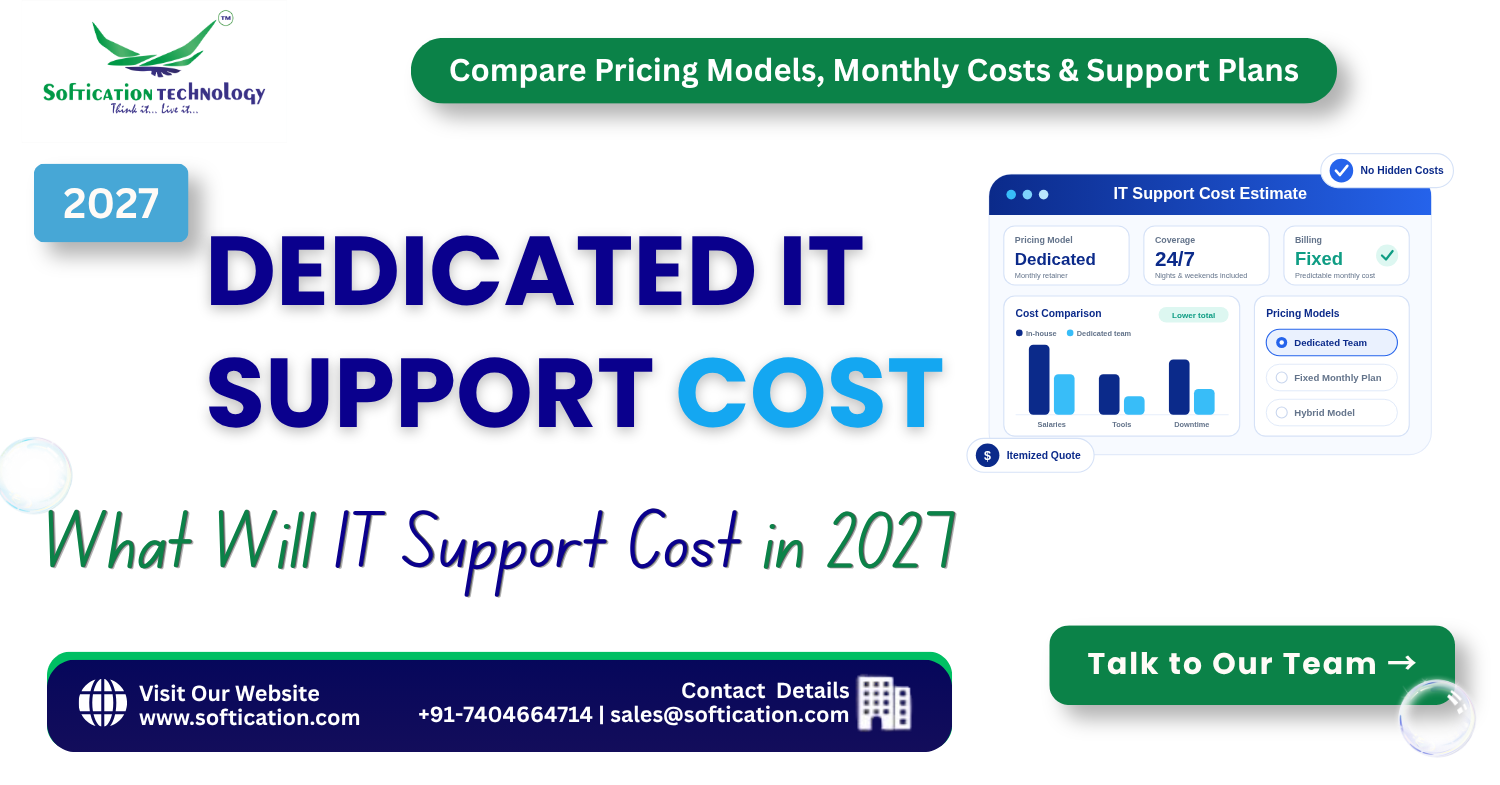
This guide breaks down the real cost of dedicated IT support in 2027: the pricing models, typical monthly ranges, what drives the price up or down, hidden costs to watch for, and how to compare a dedicated support partner with hiring in-house.
The Problem: IT Costs That Are Hard to Predict and Hard to Control
Most companies don’t overspend on IT support because they chose the wrong vendor. They overspend because their support model is unpredictable.
Common situations we see:
- Pay-per-incident surprises. Emergency fixes billed at premium hourly rates, with no cap.
- Under-covered systems. Support only during business hours, while customers use the product at all hours.
- Developers doing support work. Expensive engineers spending days on tickets instead of building the product.
- Hidden add-ons. A low monthly price that excludes after-hours incidents, cloud work, security patches, or reporting.
- No clear scope. Nobody knows what’s covered, so every request becomes a negotiation.
- Single-person dependency. One freelancer or one in-house admin who holds all the knowledge.
- No cost visibility. Support spending is spread across salaries, tools, freelancers, and emergency invoices, so the true total is rarely known.
The Business Consequence: The Cheapest Option Is Rarely the Lowest-Cost Option
Choosing support purely on the lowest monthly price often backfires.
1. Downtime is usually the biggest cost
The price of support is small compared with the price of an outage. Lost sales, SLA penalties, refunds, and customer churn can exceed a year of support fees from a single serious incident. The right comparison is not “support price vs. no support price” but “support price vs. cost of downtime.”
2. Slow resolution quietly drains revenue
When tickets take days instead of hours, customers lose confidence, sales teams lose deals, and your staff loses productivity.
3. Engineering time gets wasted
If your developers spend even a quarter of their time on support, you are paying product-building salaries for maintenance work and delaying your roadmap.
4. Security shortcuts become expensive later
Skipping patching, monitoring, and access reviews saves money until a breach or malware incident forces costly recovery.
5. Budget forecasting becomes impossible
Unpredictable emergency invoices make it hard to plan, hire, or raise funding with confidence.
The goal is not the lowest price. It is predictable cost, measurable service, and fewer incidents.
The Solution: Understand the Pricing Models, Then Match One to Your Needs
Dedicated IT support is usually priced in one of five ways. Each suits a different type of business.
1. Dedicated team (monthly retainer per engineer)
You get one or more engineers assigned to your product on a monthly fee.
- Best for: SaaS products, e-commerce platforms, and applications that need ongoing attention and deep system knowledge
- Pros: Predictable cost, deep product knowledge, flexible scaling
- Cons: You pay for capacity even in quieter months
- Indicative range: roughly $2,000–$5,000 per engineer per month with offshore teams, and $8,000–$15,000+ for comparable onshore US or UK talent
2. Fixed monthly managed support plan
A set price covers a defined scope: monitoring, a ticket volume or hours allowance, defined SLAs, and reporting.
- Best for: Small and mid-sized businesses that want simple, predictable pricing
- Pros: Easy budgeting, clear scope, usually includes monitoring
- Cons: Work outside scope is billed separately
- Indicative range: roughly $800–$4,000 per month depending on systems covered and hours of coverage
3. Per-user or per-device pricing
Common for traditional IT help desks covering employee devices and office IT.
- Best for: Companies mainly needing help desk and endpoint support for staff
- Pros: Scales with headcount
- Cons: Doesn’t suit application-level or product support
- Indicative range: roughly $50–$200 per user per month, with offshore options at the lower end
4. Hourly or time-and-materials
You pay for the hours used.
- Best for: Occasional issues, one-off fixes, and audits
- Pros: Pay only for what you use
- Cons: Unpredictable bills, slower response, and little proactive work
- Indicative range: roughly $20–$50 per hour offshore and $75–$200 per hour onshore
5. Hybrid model (retainer plus on-demand)
A base monthly plan for monitoring and routine support, with extra hours or engineers added when needed.
- Best for: Growing companies with changing workloads, product launches, or seasonal peaks
- Pros: Stable baseline with room to scale
- Cons: Needs a clearly defined overage policy
Quick comparison
Model | Cost predictability | Proactive support | Best for |
|---|---|---|---|
Dedicated team | High | Yes | SaaS, e-commerce, product teams |
Fixed managed plan | High | Yes | SMBs wanting simple pricing |
Per-user | Medium | Limited | Office IT and help desk |
Hourly | Low | No | One-off fixes |
Hybrid | High with flexibility | Yes | Growing and seasonal businesses |
Typical Monthly Cost of Dedicated IT Support in 2027
Here is what businesses commonly budget, depending on the level of coverage. Treat these as planning ranges, not quotes.
Support level | What’s typically included | Indicative monthly cost |
|---|---|---|
Basic | Business-hours L1 support, ticketing, basic monitoring | $800–$1,800 |
Standard | Extended hours, L1 + L2 support, proactive monitoring, monthly reporting | $1,800–$4,000 |
Advanced | 24/7 coverage, L1–L3 support, cloud and security management, SLAs | $4,000–$9,000 |
Enterprise / dedicated team | Multiple dedicated engineers, custom SLAs, DevOps, compliance support | $9,000–$25,000+ |
Prices vary by region, technology stack, number of applications, and the response times you need.
What Affects the Price of Dedicated IT Support?
Two businesses with similar revenue can pay very different amounts. These are the main factors.
- Coverage hours. Business-hours support costs far less than true 24/7 coverage, which needs multiple shifts.
- Support tiers. L1 (first response) is cheaper than L2 (technical investigation) and L3 (code-level engineering).
- Number and complexity of applications. A single simple web app costs less to support than several integrated platforms.
- Technology stack. Common stacks such as PHP, Laravel, React, and Node.js are easier to staff than niche or very old technologies.
- Infrastructure size. More servers, databases, and cloud services mean more monitoring and maintenance work.
- SLA strictness. A 15-minute response guarantee costs more than a 4-hour one.
- Security and compliance needs. Requirements such as audits, data protection rules, or industry regulations add effort.
- Legacy systems. Older, poorly documented code takes more time to stabilize and support.
- Provider location. Offshore teams, for example in India, can be significantly cheaper than onshore US or UK teams, often with strong quality when managed well.
- Contract length. Longer commitments usually earn better monthly rates.
Hidden Costs to Watch For in IT Support Quotes
A low headline price can hide expensive extras. Ask about:
- After-hours and weekend fees billed at premium rates
- Onboarding or setup charges for knowledge transfer and tool installation
- Out-of-scope work that triggers extra hourly billing
- Tool and licensing costs for monitoring, ticketing, or security software
- Cloud costs that aren’t part of the support fee but are your responsibility
- Escalation charges when issues move from L1 to L2 or L3
- Reporting fees for uptime and performance reports
- Contract exit costs and notice periods
- Price increases after the first term
A trustworthy provider shows the full cost up front in an itemized quote.
Dedicated IT Support vs. Hiring In-House: A Cost Comparison
Hiring in-house looks simple until you add up everything involved.
Cost item | In-house team | Dedicated support company |
|---|---|---|
Salaries (multiple roles for L1–L3 and shifts) | High | Included |
Benefits, taxes, and overheads | Typically 20–40% on top of salary | Included |
Recruitment and training | Ongoing | None |
Monitoring and support tools | Extra | Usually included |
24/7 coverage | Needs several hires | Included in the model |
Sick leave and attrition risk | Your problem | Provider covers continuity |
Scaling up or down | Slow | Fast |
As a simple illustration, covering one application round the clock in-house can require at least three to five people across shifts and skill levels. A dedicated team often delivers the same coverage for a fraction of that total cost, while giving you access to a broader skill range.
In-house still makes sense for some businesses, especially those with very sensitive operations or large, stable teams. For many startups and growing companies, a dedicated partner is the more economical and lower-risk option.
Example: What Does the Math Look Like?
Example: A SaaS Startup Comparing IT Support Options.
A SaaS startup with one production application is deciding how to cover support.
Option A: Two in-house engineers on business hours Two salaries plus overheads, tools, and recruitment, with no night coverage and a single point of failure if one person leaves.
Option B: Dedicated support team with 24/7 monitoring One monthly fee covering monitoring, L1–L3 support, defined SLAs, and reporting, with continuity if any one engineer is unavailable.
Option C: Freelancers on demand Low monthly cost on paper, but unpredictable availability, slower response, and no accountability for uptime.
When the startup adds the cost of one major outage per year, Option B often comes out ahead, not because the monthly fee is the smallest, but because it is predictable, accountable, and designed to prevent incidents rather than react to them.
How SoftiCation Prices Dedicated IT Support
SoftiCation is a software development and IT support company. We maintain and support the same kinds of systems we build: SaaS platforms, CRMs, ERPs, e-commerce stores, and Laravel, PHP, and React applications.
Our approach to pricing
- Free IT support audit first. We review your applications, infrastructure, ticket history, and risks before quoting.
- Itemized, transparent quotes. You see what’s included, what isn’t, and how overages work.
- Flexible engagement models. Dedicated team, fixed monthly plan, hybrid, or on-demand support.
- Scope matched to your real needs. You pay for the tiers and hours you need, not a bloated package.
- Scalable plans. Add engineers or coverage as your product and traffic grow.
What our support covers
- 24/7 proactive monitoring and incident response
- L1, L2, and L3 support under one team
- Application maintenance and bug fixing
- Cloud infrastructure support on AWS, Azure, and other platforms
- Security patching and vulnerability management
- Legacy PHP and software support without forced rebuilds
- Regular reporting on tickets, uptime, and performance
Because our engineers can work directly in your codebase, issues are fixed at the root cause, which reduces repeat incidents and lowers your total support cost over time.
How to Get the Best Value From IT Support (Without Overpaying)
- Measure your downtime cost first. Know what one hour of outage costs you.
- Define scope clearly. List applications, environments, and expected response times.
- Choose coverage you actually need. Don’t pay for 24/7 on a system used only during office hours, and don’t skip it on one used globally.
- Insist on written SLAs. Response and resolution times for each priority level.
- Ask for itemized pricing. Including after-hours work, tools, and escalations.
- Start with an audit. Fix the biggest risks first and scale from there.
- Review quarterly. Check ticket trends and reports and adjust the plan.
Frequently Asked Questions
How much does dedicated IT support cost per month?
Most businesses spend between about $800 and $9,000 per month depending on coverage hours, support tiers, and system complexity. Larger or highly regulated environments can exceed that. A free audit gives a quote based on your actual setup.
Is a dedicated IT support team more expensive than in-house IT?
Usually it costs less overall, especially when you need 24/7 coverage and multiple skill levels. In-house costs include salaries, benefits, tools, recruitment, and training, plus the risk of losing key people.
What is the cheapest IT support option?
Hourly and freelance support looks cheapest, but it often costs more once you factor in slow response, unpredictable bills, and downtime. Fixed monthly plans or dedicated teams usually give better value.
Does offshore IT support reduce costs?
Yes. Offshore teams, including those in India, can reduce operating costs significantly while still providing 24/7 coverage across time zones. Quality depends on the provider’s processes, communication, and security practices.
What’s included in a typical IT support plan?
Monitoring, ticket handling, L1–L3 support, application maintenance, security patching, and reporting. Cloud management and DevOps are sometimes included or offered as add-ons.
Are there setup or onboarding fees?
Some providers charge them. Ask upfront. A good provider explains onboarding scope and cost in the quote.
Can I change my plan later?
Most providers allow plans to scale up or down. Check notice periods and minimum terms before signing.
How do I get an accurate price?
Share your applications, hosting setup, user volume, and current issues. A support audit turns these details into a clear, itemized estimate.
Get a Clear Price, Not a Guess
The real cost of IT support isn’t the monthly fee alone. It’s the fee plus the cost of downtime, slow fixes, wasted engineering time, and security gaps. A well-structured dedicated support plan makes that total smaller and far more predictable.
Get Your Free IT Support Estimate
Tell us about your application and current challenges. We’ll review your setup and send an itemized estimate with recommended coverage, SLAs, and pricing.